Partner spotlight
Copilink Standalone: trade copying with Boxcar accounts
Copilink has confirmed successful trade copying with a Boxcar test account through the BoxcarTrading Rithmic system. Here is how to connect, set up followers and choose between its desktop products.
Choose Standalone or the NinjaTrader add-on
Copilink Standalone runs on Windows and macOS and connects directly to supported Rithmic and Tradovate accounts. It does not require NinjaTrader. The image below is a Copilink-supplied example of its analytics interface, not Boxcar trading results.
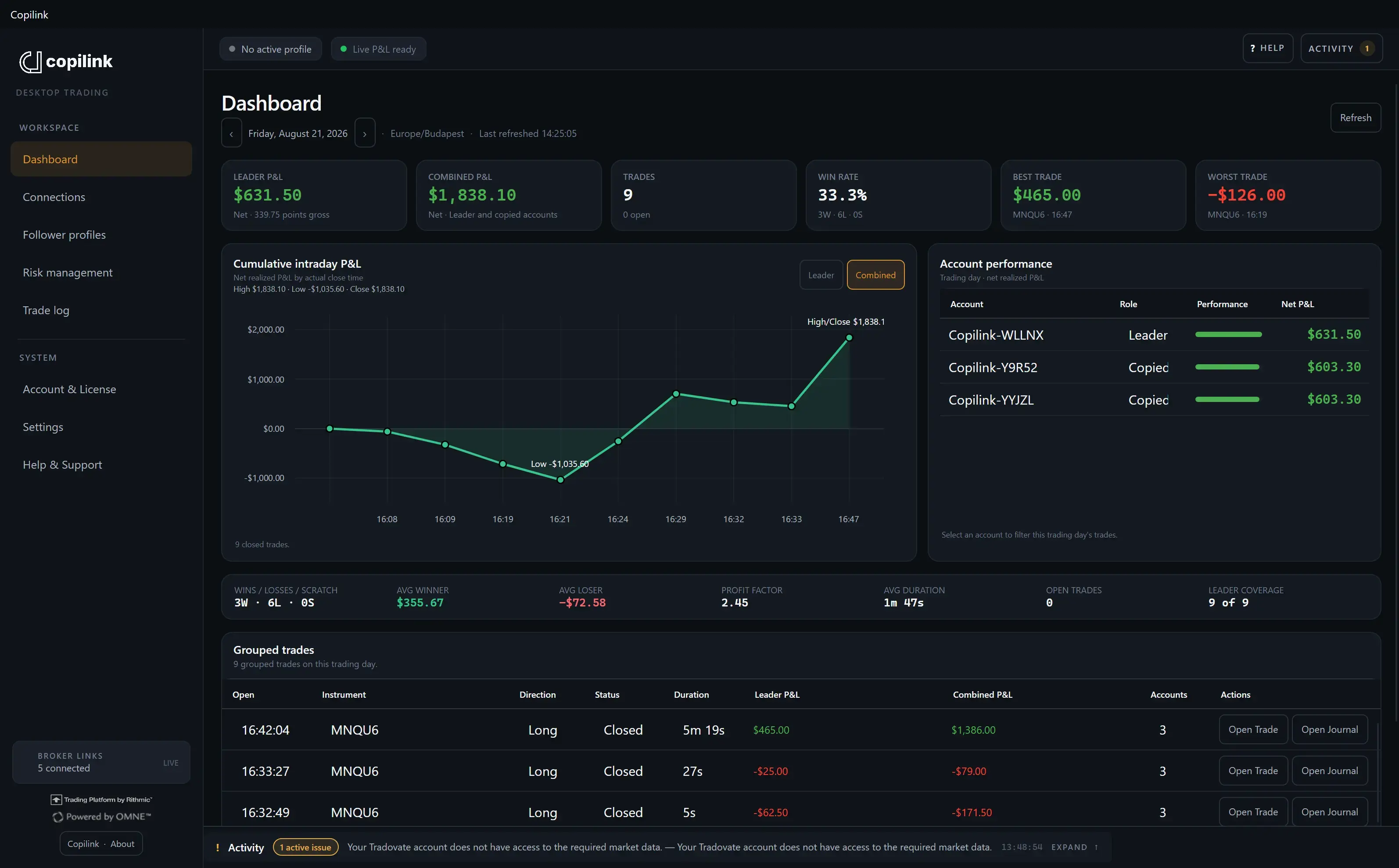
Copilink for NinjaTrader 8 is a separate product that runs inside NinjaTrader Desktop on Windows and needs its own license. Choose the product that fits where you want the copier to run.
Sources: Copilink Standalone · Copilink for NinjaTrader 8
Connect your Boxcar accounts through Rithmic
Boxcar evaluations and simulated-funded accounts use the BoxcarTrading system. Copilink confirmed that this system appears in its Rithmic connection list and that copying worked normally with the test account supplied by Boxcar.
In Copilink Standalone, open Connections, then Add connection, then Rithmic. Enter the Rithmic credentials supplied in your Boxcar portal, select the server location from your connection instructions, and choose BoxcarTrading from the returned system list. Leave the live-money option off for evaluations and simulated-funded accounts. Connect and check that your expected accounts and market data appear.
Complete any required Rithmic agreements before connecting. Use your Rithmic login here, rather than your Boxcar website or Copilink login. A separately issued live brokerage account has its own connection details; use those instructions if you move to live brokerage.
Sources: Copilink Rithmic connection guide · Copilink Boxcar connection guide
Set follower sizes before enabling copying
Create a copying profile, choose its leader and enable the followers you want to use. Set each follower’s copy ratio within its current contract allowance. Copilink rounds quantities down to whole contracts: a one-contract leader trade at a 0.5 ratio produces no follower order, while two contracts at 0.5 produce one.
Begin with flat accounts: enabling a profile does not automatically synchronize positions that were already open. Check a small copied trade and its exit on each account before increasing size. Follower fills can differ, so confirm working orders and positions after a rejected order or interrupted connection.
Boxcar allows copying between accounts you own. Each account must independently meet its position limits and trading rules. Copilink offers configurable follower protection and account risk controls, but those settings do not replace Boxcar’s drawdown calculations or guarantee that a rule cannot be breached.
Sources: Copilink profiles and sizing · Copilink Rithmic connection guide · Boxcar automation and copy-trading rules
Core and Suite share the desktop copier
Core includes one licensed machine, the desktop copier, follower protection, account risk controls and desktop analytics. Suite adds a second machine, the full web trading journal and more detailed analytics, including leader-versus-follower reporting.
Copying runs in the desktop application; the web journal is for review. Copilink advertises a 14-day Suite trial without a payment card. Consult its pricing page for current subscription prices and trial eligibility.
Sources: Copilink Standalone · Copilink Standalone plans
Use BOXCAR for the Copilink offer
Copilink has provided code BOXCAR for 20% off the first three months of eligible Standalone Core, Standalone Suite and NinjaTrader 8 subscriptions. Use the BOXCAR offer link below and check the discount shown before paying.
For an annual subscription, the 20% discount applies to the portion covering three of the twelve months. It does not reduce the entire annual price by 20%. Copilink subscriptions are purchased separately from your Boxcar account.
Sources: Use the BOXCAR offer at Copilink