Futures education
Tick charts vs time charts: how futures bars are built
The same trades can produce different bar values. A six-trade example shows exactly where the groupings diverge.
Trade count or elapsed time
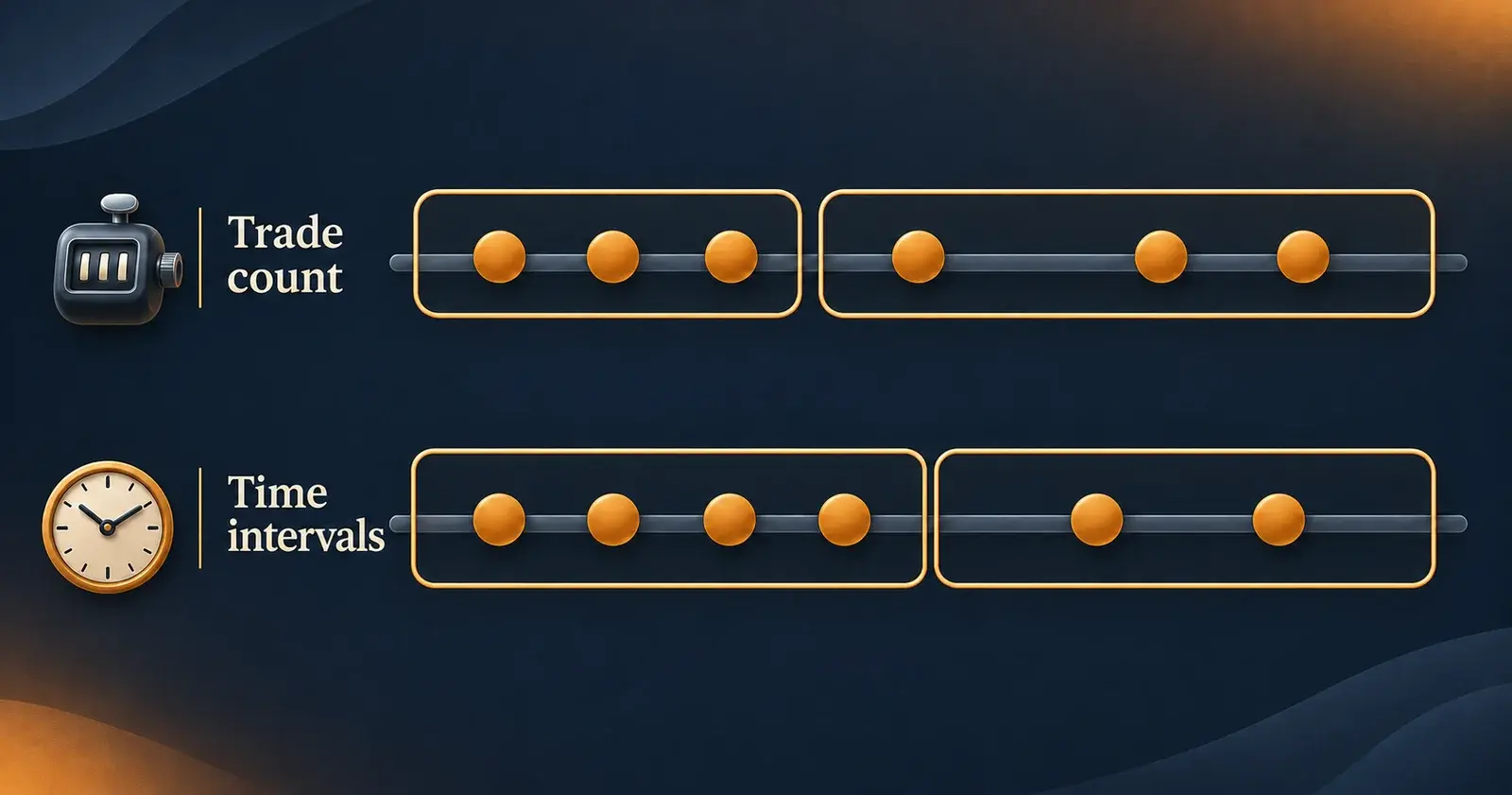
A tick chart groups a specified number of recorded trade events into each bar. A time chart groups activity into intervals such as one minute. A 500-tick bar therefore measures 500 trade events, while a one-minute bar can contain a different number of events each minute. Session boundaries can interrupt a tick bar before it reaches its target.
Here, a tick means a recorded trade event, not a contract and not the instrument's minimum price increment. One event reporting 20 contracts contributes one tick and 20 contracts of volume. Three separate events at the same price contribute three ticks even though the price has not moved. A volume chart groups traded quantity instead.
Sources: NinjaTrader: Tick, volume and time bar types · NinjaTrader: Break at EOD
Start with the same six trades
These invented trades belong to one contract within a single session. Each row is one received trade event; prices are illustrative units. We will group them retrospectively into three-tick bars and one-minute intervals beginning at 09:30 and 09:31, with no session reset inside either group.
| Trade / time | Price | Contracts |
|---|---|---|
| 1 · 09:30:05 | 100 | 1 |
| 2 · 09:30:10 | 101 | 4 |
| 3 · 09:30:20 | 100 | 2 |
| 4 · 09:30:50 | 99 | 1 |
| 5 · 09:31:10 | 102 | 3 |
| 6 · 09:31:40 | 101 | 2 |
Why the bar values differ
Open is the first price in a group; high and low are its maximum and minimum; close is its final price. Volume sums the contracts in that group. The table uses interval start times for the minute bars, rather than a platform's displayed bar timestamp.
Trade 4, at 99, begins the second three-tick bar but remains in the first minute interval. That is why the first tick bar closes at 100 while the 09:30 minute interval closes at 99. Both charts still contain the same six events and total volume of 13 contracts: 7 + 6 on the tick chart, or 8 + 5 on the minute chart.
| Grouping | Trades | Open / high / low / close | Volume |
|---|---|---|---|
| 3-tick bar 1 | 1–3 | 100 / 101 / 100 / 100 | 7 |
| 3-tick bar 2 | 4–6 | 99 / 102 / 99 / 101 | 6 |
| Minute beginning 09:30 | 1–4 | 100 / 101 / 99 / 99 | 8 |
| Minute beginning 09:31 | 5–6 | 102 / 102 / 101 / 101 | 5 |
A tick count has no fixed conversion to minutes
In the example, the first three events span 15 seconds from first to last; the next three span 50 seconds. Equal trade counts do not mean equal elapsed time or equal traded quantity. When tick bars are drawn at equal horizontal spacing, check their timestamps before comparing how long a move took. NinjaTrader also offers actual-time spacing for charts with multiple data series.
Use a time interval when the comparison needs common clock windows, such as activity during the same minute on two charts. A tick interval instead compares groups containing the selected number of received trade events. Changing the grouping alone does not demonstrate better trading results.
Sources: NinjaTrader: Tick, volume and time bar types · NinjaTrader: Multiple data series and bar spacing
Match the data and session settings
Before comparing two charts, match the contract, data source, bar settings, trading-hours template and loaded date range. NinjaTrader documents differences in feed filtering, throttling and timestamps; reloading historical data can also move a trade across a bar boundary. The same tick-count setting is not a guarantee that two providers produce identical bars.
Read the platform's timestamp convention. NinjaTrader labels a minute bar by its ending time: its 09:31 bar contains activity from 09:30:00 through 09:30:59. That corresponds to the interval called “Minute beginning 09:30” above.
Check session resets separately from the count. With NinjaTrader's Break at EOD enabled, a new session starts a new bar, so the previous session's final tick bar can contain fewer events than its target. With the setting disabled, a bar can continue across the session boundary until its construction requirement is met.
Sources: NinjaTrader: How bars are built · NinjaTrader: Break at EOD